
Figma Dev Mode AI Agent Is Live. Do You Still Need the MCP?
Figma Dev Mode AI shipped Nov 19: ask the agent about a design, diff versions, get React snippets. What it does, what it can't, and where the Figma MCP still wins.
On November 19, 2026, Figma brought its agent into Dev Mode. Figma Dev Mode AI now means you can open a design, select a frame and ask the agent questions in a chat: how a component behaves, which layers could use existing variables, how to build the layout with CSS grid or flexbox, or for a React snippet. It can also compare versions of a design and give you download links for assets in bulk. My one-line verdict: it is a better inspect panel, not a replacement for a coding agent that reads your frames through the Figma MCP. It answers questions about the file. It does not know your codebase.
Here is what actually shipped, what it changes for product designers, where the hype runs ahead of the help center, and where it fits in the way I already go from Figma frame to shipped code.
What the Figma Dev Mode AI agent actually is
The release is listed in Figma's official release notes on November 19 as "Work with the Figma agent in dev mode". The short version from Figma: prompt the agent in Dev Mode to inspect and understand designs, compare versions, ask for code snippets and get download links to download assets in bulk.
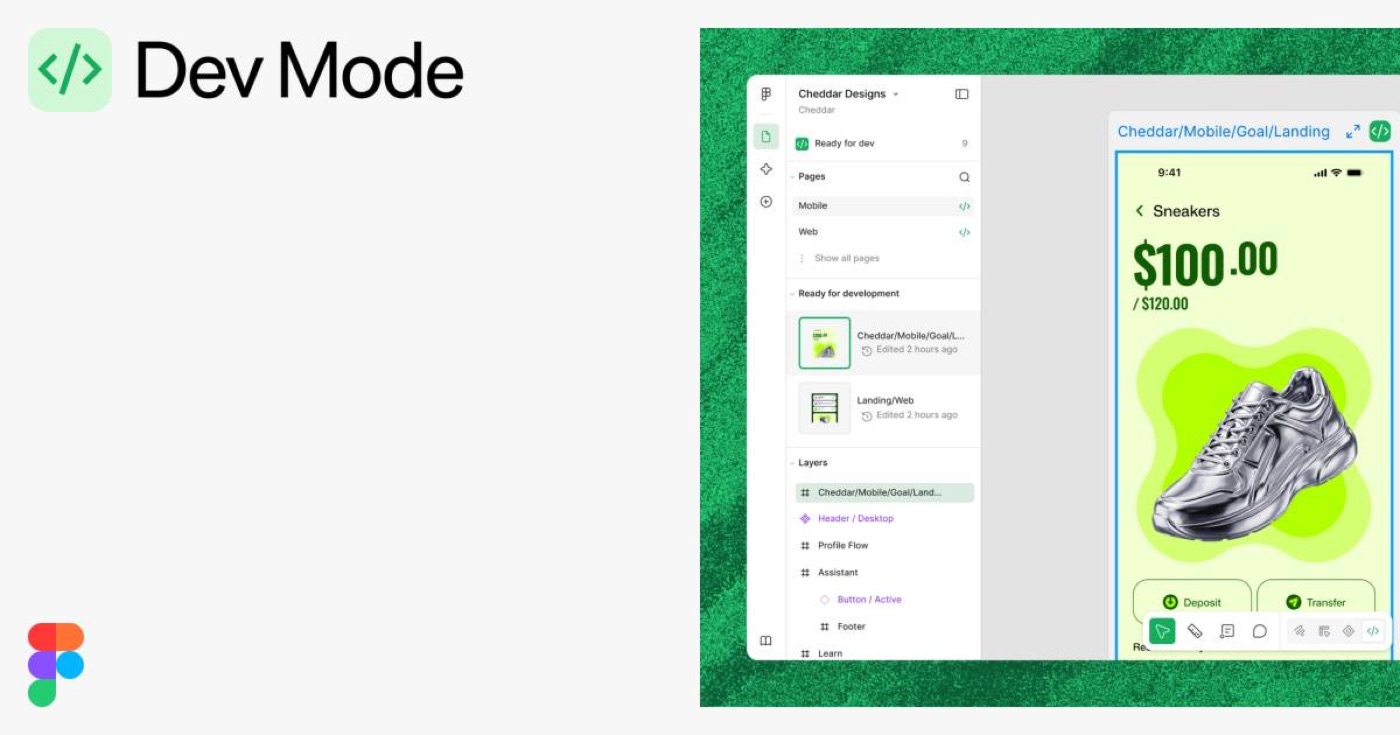
The Figma help article on working with the agent lists four Dev Mode abilities as supported today:
- Understand designs. Ask about component interactions, or ask it to find layers that could use existing variables.
- Implementation guidance. Ask how to build a design with CSS grid or flexbox, or request a React code snippet.
- Compare versions. See what changed in a component or a design as a visual diff or as a list of changes in the chat.
- Prepare assets. Generate links to save icon components as SVGs, or generate CSS for variables.
Access depends on your seat. Dev seats can chat with the agent without changing the design. Full seats can also ask it to make edits. Dev Mode is not available on the Starter plan, or with View or Collab seats. Usage runs on Figma AI credits, and Figma says the credits used change with the complexity of the task, so there is no flat price per question.
What it changes for product designers
It sounds like a developer feature. I think designers feel it first, for three reasons.
Your file becomes something people interrogate, not just read. Until now, a developer in Dev Mode looked at numbers in the inspect panel and guessed the intent. Now they can ask "why is this card 344 wide" or "is this button a variant of the main component". If the answer is "it is a detached instance with a hardcoded hex", the agent will say so in plain words. Messy files used to cost you quietly. Now they cost you out loud.
Variables and components start paying off in a new place. The agent can point at layers that should be using a variable. When I built the design system for ViewStats across web, mobile, marketing and a Chrome extension, a lot of the work was typography, color, components, variables and tokens that the whole team could trust (I wrote about it in one design system for four surfaces). A tool that flags where a screen drifted from those tokens is exactly the kind of boring check I want automated.
Version compare gets a voice. I change designs mid-build all the time. I said it on X in part 2 of my "I stopped handing off designs" thread: change the design while you build, do not freeze it. The weak point of that habit is that the person building does not know what changed. "List what changed in this frame since yesterday" is a better answer to that than a Slack message from me.
Hype vs reality
Launch week makes every feature sound like the end of handoff. Here is what the help center actually supports, and what it does not.
- It answers from the design file. A React snippet from Dev Mode is a snippet of what the frame looks like. Your codebase has its own components, naming, routing and data. Nothing in the release note says the Dev Mode agent reads your repository, so treat its code as a starting point, not a pull request.
- It does not export for you. Figma's own table says the agent cannot export assets on your behalf. It generates download links and you save the files yourself. Useful, just not the "export everything" magic some posts describe.
- Prototyping is not there yet. Creating prototypes, interactions and navigation is marked "coming soon" for the agent. It can explain component interactions, but motion and flow work is still on you.
- It costs a paid seat and credits. No Starter plan, no View or Collab seats, and credits that vary per task. For a small team where one person has a Full seat and the rest view the file, this will not reach most of the people who would use it.
- It cannot fix a bad file. If your frames have no auto layout, no components and random spacing, the agent will describe the mess accurately. That is not the same as a clean spec.
None of this makes it a bad release. It makes it a specific one: a smarter way to read a Figma file.
Figma Dev Mode AI vs the Figma MCP vs classic inspect
The question I expect most people to search next is "figma agent vs figma mcp". They overlap, but they sit in different places. The Figma MCP server lets a coding agent outside Figma, such as Claude Code or Cursor, read your frames. The Dev Mode agent lives inside Figma and talks about the file.
| Question | Classic Dev Mode inspect | Figma Dev Mode AI agent | Figma MCP + coding agent |
|---|---|---|---|
| Where it runs | Inside Figma | Inside Figma, in a chat | In your editor or terminal |
| Knows your codebase | No | Not stated by Figma | Yes, it works in the repo |
| Explains intent of a design | No, numbers only | Yes, in plain language | Partly, from the frame data |
| Compares versions | Visual compare | Visual diff or a list in chat | Not its job |
| Writes production code | Generated code snippets | Snippets on request | Yes, edits real files |
| Assets | Manual download | Bulk download links | Can pull images into the project |
| Who it suits | Developer reading specs | Developer or PM asking about a design | Designer or developer shipping the build |
My pick: if you already build with Claude or Cursor connected to the Figma MCP, keep doing that for the code, and use the Dev Mode agent for questions and version diffs. If your team still hands files to developers, the Dev Mode agent is the easier first step, because nobody has to set anything up outside Figma.
Where it fits in my workflow
I do not hand off anymore. I wrote the full version in design handoff with AI: Figma is the brief, Claude reads the frames through the Figma MCP, and I build the real product myself, a SwiftUI app on my phone or a live website. At ViewStats I worked the same way inside the team's codebase with Cursor, Claude Code, React, TypeScript and GitHub, and opened pull requests myself (the ViewStats case study covers it). That shift is what I mean when I say I became a design engineer.
So would I use the Dev Mode agent? Yes, for three jobs, and none of them is writing the code.
1. A pre-build check. Before I point Claude at a frame, I want to know the frame is clean. "Which layers here are not using variables" and "which instances are detached" are questions I would ask the Dev Mode agent first. A clean frame gives the coding agent better input, and better input matters more than any prompt. There is no magic prompt, there is a good file.
2. A change log for the moments I design mid-build. When I change a screen halfway through a build, a list of changes I can paste into Claude saves a lot of "what did I move again".
3. Explaining a file to someone who did not design it. On a team, a developer or a PM can ask the file questions without booking time with me. That is the part that will help teams who still work with classic handoff.
Where it does not fit: the motion, interaction and sound layer. My AI experiments are full of moments the file cannot describe, like the Payno card you tap three times to shatter the ice, physics, Web Audio and ElevenLabs SFX. Those live in code and in my head while I tune them. No inspect panel, smart or not, has that information. Same lesson as Figma's 3D transform shipping as CSS and code layers reading your prototype: Figma keeps getting closer to code, and the last mile of feel is still a design decision.
FAQ
What is the Figma agent in Dev Mode?
It is Figma's AI agent, available inside Dev Mode since November 19, 2026. You can ask it to explain a design, point out layers that could use existing variables, suggest CSS grid or flexbox layouts, write a React snippet, compare versions of a design, and generate download links for assets.
Is the Figma Dev Mode AI agent free?
No. Dev Mode is not available on the free Starter plan, and the agent uses Figma AI credits. Figma says the number of credits depends on the complexity of the task. Dev seats can chat with it without editing the design; Full seats can also ask for edits.
What is the difference between the Figma agent and the Figma MCP?
The Figma agent works inside Figma and answers questions about the file. The Figma MCP server lets an outside coding agent, like Claude Code or Cursor, read your frames and write code in your actual project. Use the agent to understand a design, and the MCP to build it.
Will the Dev Mode agent replace design handoff?
It makes handoff cheaper, not unnecessary. It explains the file better than an inspect panel, but it does not know your codebase and cannot create prototypes or interactions yet. Handoff really disappears when the designer builds the product, which is a different change from a smarter Dev Mode.
Can the Figma agent export assets in Dev Mode?
Not directly. According to Figma's help center, the agent cannot export assets on your behalf. It generates download links, for example to save icon components as SVGs, and you save them yourself.
What to do this week
Open one real file in Dev Mode and ask the agent two questions: "which layers are not using variables" and "what changed in this frame since the last version". The answers will tell you more about the state of your design system than any audit deck. Then decide where the code comes from: the Dev Mode snippet, or a coding agent reading the same frame through the MCP inside your repo.
If you want a designer who designs the file, cleans it for AI and builds the product from it, including the motion and sound, hire a product designer who ships code. That is how I work with teams now.


hello@ayoubka.com
If you have a web or mobile app idea in mind or you need some advice about product design, feel free to get in touch ✉️