
Adobe Firefly Design Beta: Built for Brand Work, Not Product UI
Adobe Firefly Design opened in beta on Nov 10: vector, motion, 3D and print on one canvas. What it does, what it skips, and who it is really for.
On November 10, 2026, at Adobe MAX in Miami Beach, Adobe opened the public beta of Adobe Firefly Design: a new editor inside the Firefly app that puts vector, raster, motion, 3D and print on one canvas, with an AI assistant, background agents and a client review space built in. During the beta it is open to every Firefly user, and Adobe says access will be tiered once it reaches general availability. My verdict after reading everything Adobe published: Adobe Firefly Design is a serious tool for brand and campaign work. It is not a product UI tool yet, because nothing in the launch talks about components, responsive layout or code. If you design apps, it sits next to your workflow, not in the middle of it.
Below: what it actually is, what it changes for product designers, the hype vs reality, and where I would plug it into how I ship.
What Adobe Firefly Design actually is
The official sources are the Adobe MAX 2026 Firefly announcement and the Firefly Design product page. Adobe calls it an all-new design editing space, and the product page says it supports professional workflows from concept through review and delivery. The audience is named plainly: professional graphic designers and design teams producing multi-format work, plus the clients they deliver to.
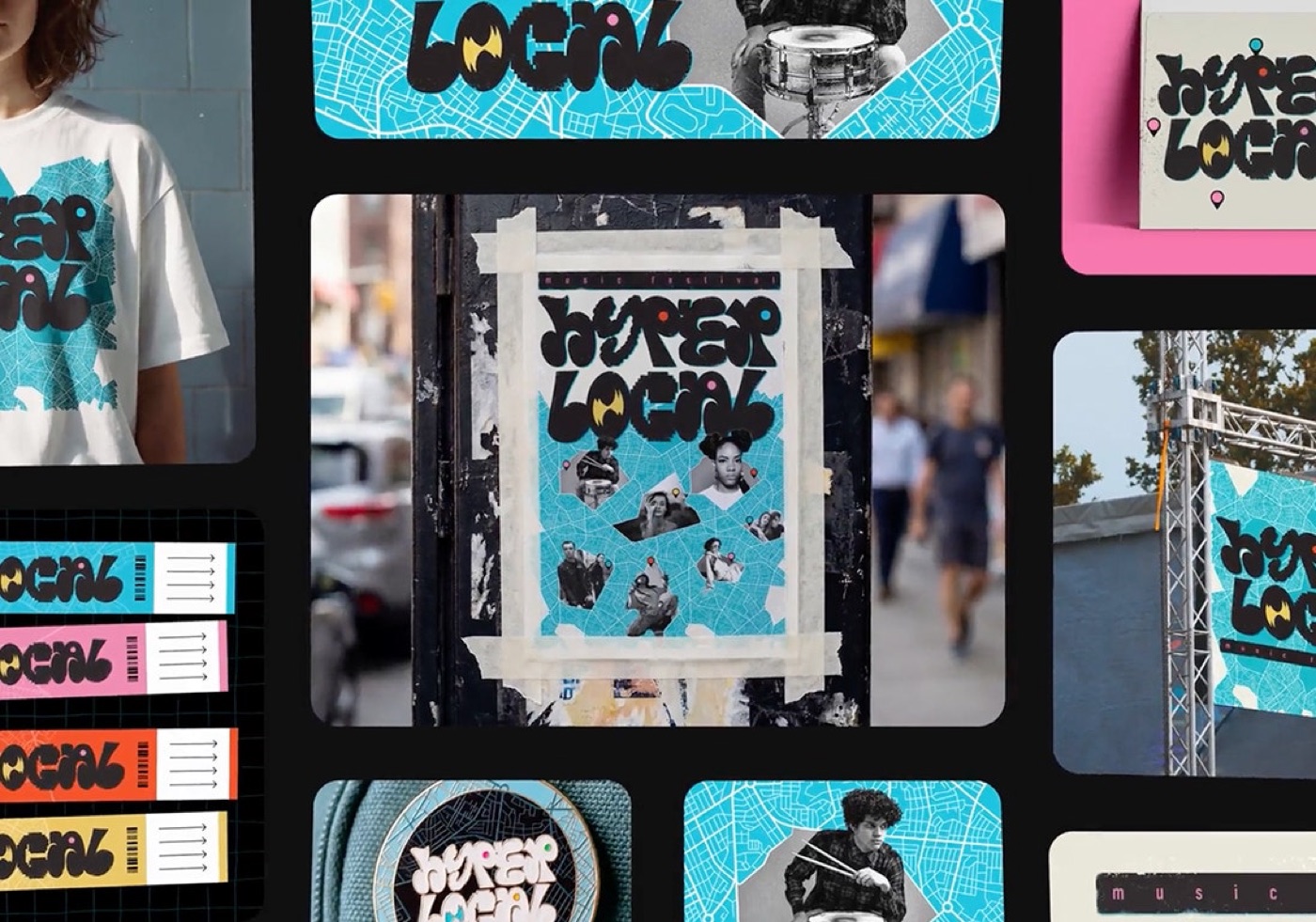
Here is what the launch pages list, without the adjectives.
One canvas, five media. You draw and animate editable vectors, edit raster images, blend real 3D and set multi-language type in the same file. Print PDF, SVG and MP4 are named as export formats.
Adobe files as live links. Photoshop and Illustrator files (PSD, AI, SVG) come in as linked assets, and Photoshop files place as live-linked layers. For teams with years of PSDs, this is the real hook.
Precision tools. A pen tool and Vector Networks for logo work. Figma users will recognize that second term.
AI on the canvas. An assistant can draft a first artboard from brand guidelines and reference images, and motion can be generated from a description of a feel, like playful, bold or soft. The Adobe Creative Agent is there for brainstorming across Firefly editors.
Agents for production. You can hand repetitive production work to an AI agent, set an agent to enforce brand rules, and run several agents next to your team. A brand kit can be auto-extracted and applied across artboards.
Client review. A review space with video annotation, invites to comment, annotate or approve, and sharing by role.
Two siblings launched the same day and are easy to confuse with it: Firefly Builder (private beta, waitlist) turns prompts into interactive prototypes of websites, presentations or apps, and Firefly Graph (beta) builds node-based AI workflows. Firefly Design is the canvas. Builder is the one that touches product prototypes.
What it changes for product designers
Most product teams I have worked with have two design worlds that never quite meet. Product lives in Figma: components, flows, tokens. Brand and marketing live in Adobe files: the launch campaign, the App Store screenshots, the social cuts, the printed thing for the event. Every launch, someone rebuilds the same identity by hand in both places.
I lived this at ViewStats, the creator platform built by the team behind MrBeast. The ViewStats design system case study covers one system for web, mobile, marketing and a Chrome extension: typography, color, navigation, data viz, empty states, variables and tokens. The marketing surface was always the one that drifted, because it was produced in different files with different tools. I wrote about how we kept it together in a design system for startups that covers four surfaces.
Firefly Design goes after exactly that drift, from the brand side. A brand-rule agent that checks every artboard, a brand kit pulled from existing work, and motion plus print plus social in one file. For a product designer, the practical change is this: the launch kit around your product (store screenshots, promo video frames, the event poster) may stop being a second project. It does not change how you design the product itself.
The other change is motion. Generating motion from a described feel is the same direction Figma took when it shipped physics-based springs in Figma Motion. Both tools are betting that designers want to describe intent and tune, not keyframe from zero.
Adobe Firefly Design vs Figma: who it is for
People already type "adobe firefly vs claude design" into Google, and the Figma comparison is the one I get asked about. Here is the honest split, based only on what each company has published.
| Question | Adobe Firefly Design (beta) | Figma Design |
|---|---|---|
| Main job | Multi-format brand and campaign work | Product UI, flows and design systems |
| Media on canvas | Vector, raster, motion, 3D, print | Vector UI, prototypes, Motion, shaders, 3D transform |
| Path to code | Nothing announced | Dev Mode, code layers, Figma MCP |
| Exports named | SVG, MP4, Print PDF | Assets, CSS from Dev Mode, code via MCP |
| AI help | Assistant drafts artboards, motion from a described feel, brand-rule agents | Figma agent, AI icons and illustrations, Make |
| Adobe file links | PSD and AI as live-linked layers | No live link to PSD or AI files |
| Client review | Built-in review with video annotation and approvals | Comments and share links |
| Price today | Open to all users in beta, tiered at GA | Seat-based plans |
Read the third row twice. For a product designer, the path to code is the whole game now. Figma keeps pushing toward it: Figma 3D transforms that copy out as CSS, code layers, the MCP. Firefly Design, as launched, ends at a file.
Hype vs reality
It is a beta. Adobe's own release lists only four things as generally available on November 10 (Edit Text, Retouch, Relight and Quick Actions). Everything else, Firefly Design included, is beta. Adobe has not said when it leaves beta or which plan it will need, only that access will be tiered.
The 3D claim is thin on detail. "Blend real 3D" is on the page, but Adobe has not published what you can do with a 3D object beyond placing and blending it. Treat it as a layout tool that accepts 3D, not a 3D package.
The platform is vague. The page sends you to the Firefly app. It does not spell out web vs desktop, offline use, or file size limits. Check before you move client work into it.
Generative credit cost is not stated. Adobe did not announce how many credits the AI features inside Firefly Design use. On a busy campaign that matters more than the headline features.
No word on product UI. Components, variants, auto layout, responsive frames, tokens to code: none of it is mentioned. That is fine, it is not what Adobe built it for. It just means the "Figma killer" takes you will see this week are reading something that is not on the page.
And one thing in its favor that the hot takes skip: live-linked PSDs. If your brand archive lives in Photoshop, that alone could be the reason to try it.
Where it fits in my workflow
My product work runs one way: Figma is the brief, Claude builds through the Figma MCP, and I ship the code myself. I wrote that whole chain up in my AI design workflow from idea to App Store. The motion in my builds comes from AI video (Kling, Higgsfield) and from code, and the sound from ElevenLabs and Web Audio. You can play the results in my AI design experiments, like the card you tap three times to shatter the ice, broken down in this micro interactions example.
Firefly Design does not replace any step of that chain. Where I would test it is the layer around the product: the launch kit. One file with the app's identity, the store screenshots, a motion cut for social and a printed piece, with an agent checking the brand rules. Today I assemble that from several tools, and it is the part of a launch I enjoy least.
What I would not do: design product screens in it, or move client brand work into a beta without knowing the export and pricing terms. Earlier this week I covered the other half of Adobe's MAX news, the Adobe MCP for Claude. For product designers, that agent connection is the bigger story. Firefly Design is the bigger story for brand designers.
The limit of my advice: I have read Adobe's launch material, not run a long project in the beta. If you test it on real brand work, I would like to hear what held up.
FAQ about Adobe Firefly Design
Is Adobe Firefly Design free?
During the public beta, Adobe says Firefly Design is available to all users. Adobe has said access will be tiered at general availability, and it has not published prices or credit costs for it yet.
Is Adobe Firefly Design a Figma replacement?
Not for product design. It is built for multi-format brand and campaign work, and Adobe announced no components, responsive layout or code handoff. For app and web UI, Figma's Dev Mode, code layers and MCP still give you the path to shipped code.
What can you export from Adobe Firefly Design?
The product page names SVG, MP4 and Print PDF, and says work exports to the formats clients already use. Check the export panel in the beta for anything beyond those three.
What is the difference between Firefly Design and Firefly Builder?
Firefly Design is the editing canvas for vector, raster, motion, 3D and print. Firefly Builder is a separate private beta that turns natural-language prompts into interactive prototypes of websites, presentations or apps.
Should a product designer learn Adobe Firefly Design now?
Try it if you also own your product's launch assets or brand. If your job is product UI, your time is better spent on the design-to-code path. My guide to how to become a design engineer is where I would start.
If you are shipping an app and want the product, the motion and the launch to feel like one thing, that is the work I do. Work with me as your product designer.


hello@ayoubka.com
If you have a web or mobile app idea in mind or you need some advice about product design, feel free to get in touch ✉️