
Figma Spring Animation Gets Real Physics. Can You Ship It?
Since Nov 10, a Figma spring animation can use mass, stiffness and damping like iOS and Android. What changed, what breaks on export, how I'd use it.
On November 10, 2026, Figma shipped a Motion update that changes what a Figma spring animation is. Until now you picked a preset (Gentle, Quick, Bouncy, Slow) or set a bounce and a duration. Now you can build a spring from physics: mass, stiffness and damping for iOS and web, stiffness and a damping ratio for Android. The duration is no longer something you type. It falls out of the physics. The same release adds animated previews for motion styles and a Lottie preview before you export. My verdict: this is the first time the spring in the design file speaks the same language as the spring in the codebase, and that matters more than the bounce itself.
Below: what shipped, what it changes for product designers, where the hype runs ahead of the documentation, and how I would use it after faking springs by hand in my own builds.
What the new Figma spring animation actually is
The entry on Figma's official release notes is titled "New Figma Motion updates: physics based springs, style and Lottie export previews". It has three parts.
Physics based springs. You set mass, stiffness and damping, per platform, and "duration updates to match". You can save the spring to your design system and reuse it.
Style previews. Each animation style now plays in the animations list and on the canvas before you apply it, so you stop applying five styles to find the one you meant.
Lottie export previews. You can watch how the animation plays as a Lottie file before you export it.
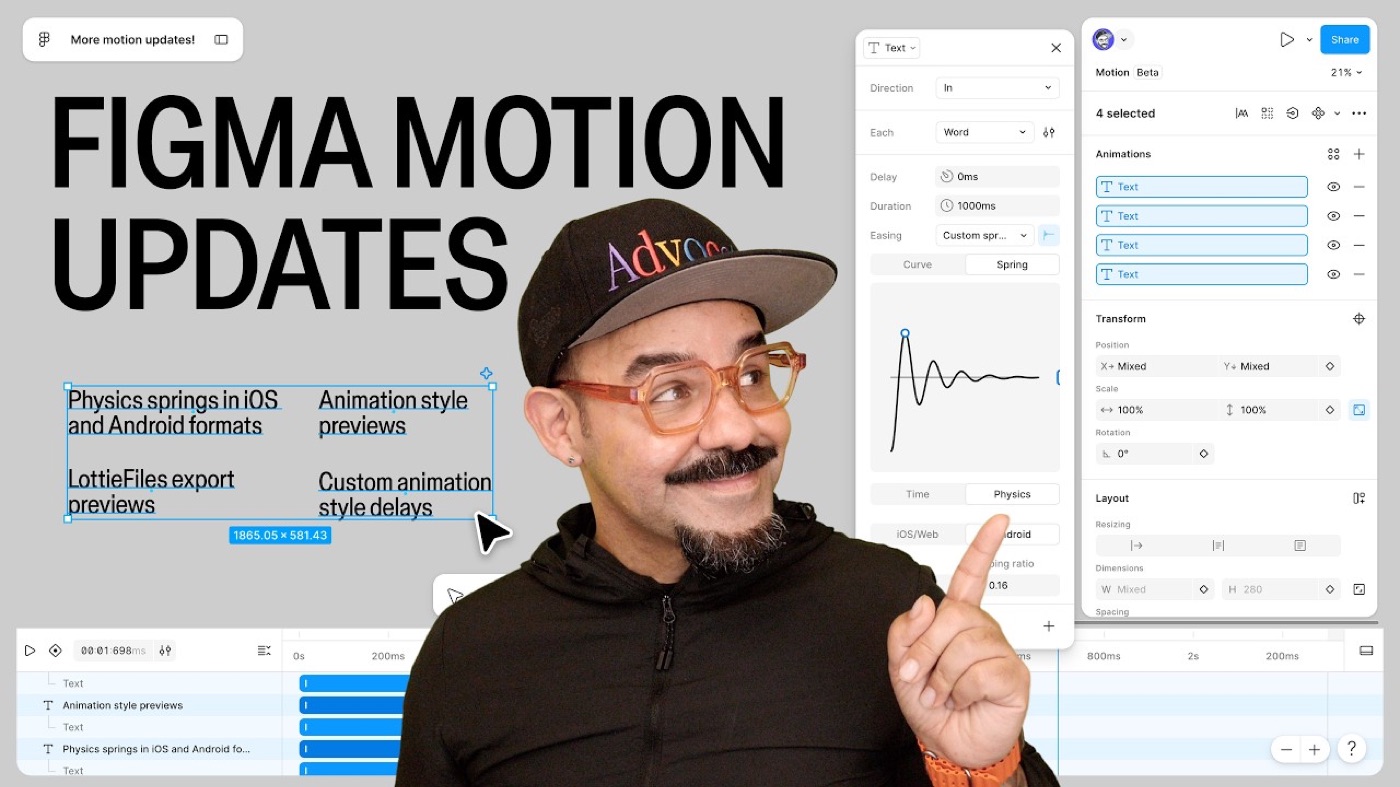
The detail lives in Figma's help article on animation easing. A custom spring now starts with a choice: Time or Physics. A time-based spring takes bounciness and a duration. A physics-based spring takes these values instead:
- Stiffness: how hard the spring pulls toward the target. Higher means the object arrives faster and with more force.
- Damping: how quickly the bounce dies. Low damping overshoots again and again. High damping removes the overshoot.
- Mass (iOS and web only): the weight of the object. Heavier objects are slower to start and slower to stop.
Android has no mass setting. There you get stiffness and a damping ratio. That split is not a Figma quirk. It mirrors how the platforms describe springs in code: SwiftUI springs take mass, stiffness and damping, and Jetpack Compose springs take a damping ratio and a stiffness. Figma is asking the designer for the numbers the developer will type.
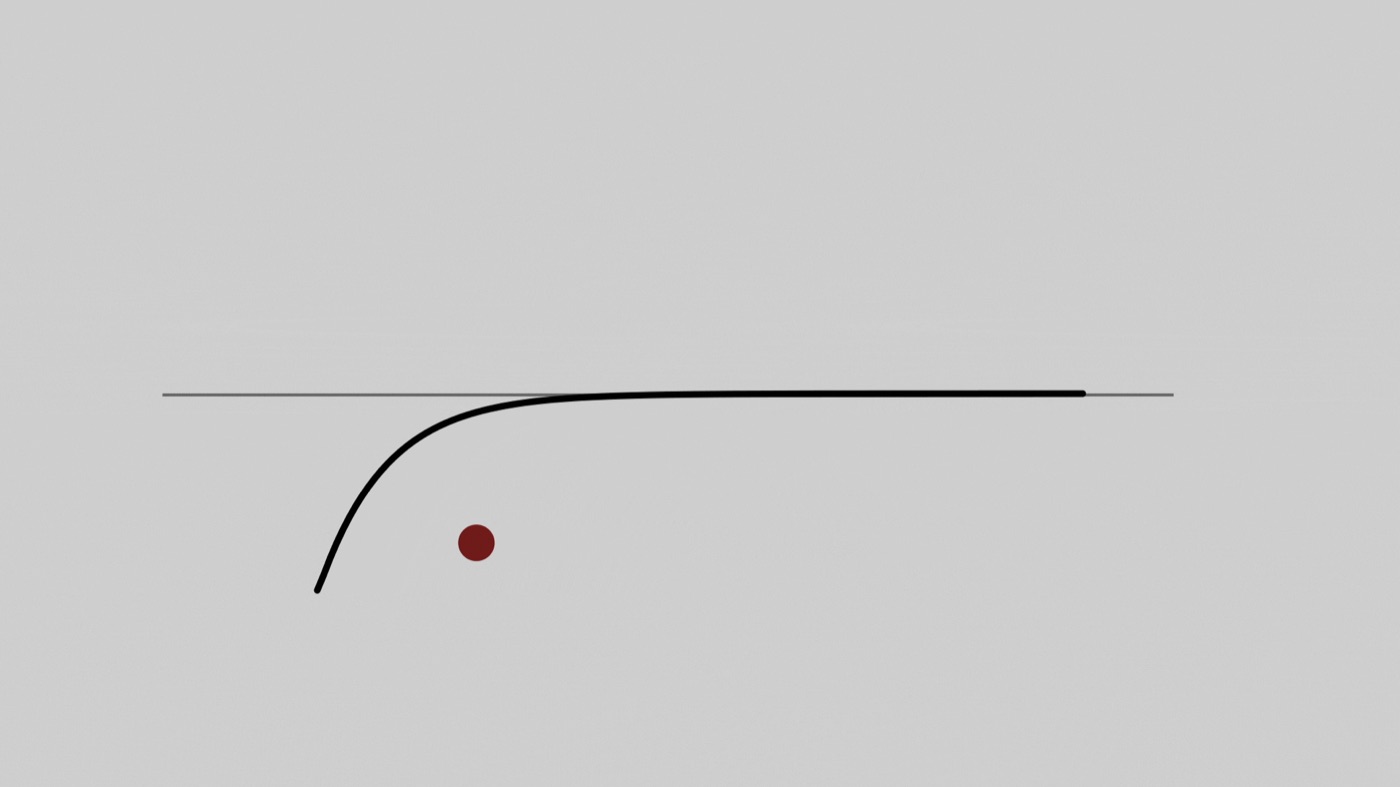
Time spring vs physics spring vs easing curve
Three tools now sit in the same Easing menu, and they are good at different jobs. This is how I read the help center.
| Option | What you set | Duration | Use it for | Watch out for |
|---|---|---|---|---|
| Easing curve (bezier) | Four curve values, or a preset like Ease out | Fixed, you type it | Fades, color changes, anything that must end on a beat | Overshoot is drawn by hand and never reacts to distance |
| Time-based spring | Bounciness and duration | Fixed, you type it | Bounce that has to sync with sound or another clip | Figma itself notes it can feel mechanical, because it does not follow physics |
| Physics-based spring | Stiffness, damping, and mass on iOS and web | Derived from the values | Sheets, cards, drags, anything the user touches | Motion can end before or after your keyframe |
| Preset spring | Gentle, Quick, Bouncy or Slow | Set by the preset | Fast exploration before you tune | Four presets become the look of every app if nobody tunes them |
What it changes for product designers
For years, the spring was the part of a motion spec that got lost. A designer wrote "bouncy, about 400ms" in a comment. A developer opened the animation API and found no duration field at all, only stiffness and damping. So they guessed. The result was close, and close is what makes an app feel slightly off.
The spec and the code share units now. Figma's overview of Motion says developers get a read-only timeline in Dev Mode and can copy animation code as CSS, JSON or motion.dev, and that the Figma MCP server can send animation code to coding agents. A spring defined with stiffness and damping is something a developer, or Claude, can use without translating.
Motion becomes a token. Custom curves and springs can be saved as variables. That means a team can own "sheet spring" and "button spring" the same way it owns a spacing scale, with different values per platform. I wrote about that discipline in my post on a design system for startups: a value that lives in one place survives. A value that lives in a comment does not.
You stop thinking in milliseconds for touch. This is the bigger shift. A physics spring has no duration because real objects do not have one. A heavy sheet and a light chip should not take the same time to settle. If you design the weight instead of the time, the timing takes care of itself.
Hype vs reality
The launch is good. It is also narrower than "Figma animations now match production".
Figma Motion is still in open beta. The help center says features may change and performance issues are possible. I would not build a client's whole motion language on a beta without keeping the values written down somewhere else too.
Physics breaks your timeline. Figma is upfront about this: with a physics spring, precise timing is lost, and motion can end before or run past a keyframe. The line between keyframes shows where it really ends. If your animation has to land on a sound or a cut, the help article tells you to use a time-based spring or an easing curve.
Lottie does not speak spring. A Lottie file stores keyframes and curves, not a live spring. The LottieFiles documentation for Figma Motion export lists spring easing as partial support, "exported by sampling the motion over time", and lists glass, texture, shader and noise effects as not supported. That page describes the LottieFiles plugin, not Figma's built-in export, but the limit is in the format. The spring you export is a recording of a spring. This is why a Lottie preview shipped in the same release: check the recording before you hand it over. If you are choosing a runtime, my Rive vs Lottie comparison covers what each one can react to.
The web has no native spring. People are already searching "figma spring animation to css". CSS has bezier curves and a linear() easing that can trace a sampled spring. It has no stiffness or damping property. Figma's docs do not say how a physics spring is written when you copy CSS, so read the copied code before you trust it. If your product uses a library like motion.dev, which accepts spring values, that path will stay closer to what you designed.
A design-file spring cannot be interrupted. The reason native springs feel alive is that they carry velocity. Grab a sheet mid-bounce and it responds from where it is. A timeline plays from the start. Figma shows you how the spring looks, not how it feels under a thumb. That part still needs a build.
Is it free? The help center lists Motion for Starter, Professional, Education, Organization and Enterprise plans, with edit access to the file. It does not mention AI credits for editing easing by hand. Asking the Figma agent to animate for you is a separate question, so check your plan's AI allowance.
How I would use physics springs in my workflow
I have built springs three different ways in my AI experiments, and none of them started in the design file.
In the Payno experiment, the banking concept where you tap a frozen card three times to shatter the ice, the buttons get their slight spring from overshooting cubic-bezier curves in CSS. That is a fake spring: a curve drawn to look like physics. I broke the whole build down in micro interactions examples: a bank card you shatter to unfreeze. In the Say More experiment, a native iOS concept where every avatar is a glass bubble that bends like a lens when you press it, the motion is real spring physics in SwiftUI next to a Metal shader. And in the Haribo configurator, the gummy bears fall under a Rapier physics engine, which is a full simulation, not an animation at all.
In all three, Figma was the brief and the motion was decided in code, with Claude reading the frames through the Figma MCP. The feel was tuned by running the build. Here is what I would change now.
- Name two or three springs before designing screens. One for surfaces (sheets, cards), one for small controls, maybe one playful one for a reward moment. Save them as variables with iOS and Android values.
- Use physics for touch, time for sound. I design sound into my builds, and a sound effect has a fixed length. Anything that must hit a sound gets a time-based spring or a curve. Anything the finger moves gets physics. My post on UI sound design explains why that sync matters.
- Pass the numbers, not the video. When the frame goes to Claude through the MCP, the spring values go with it. On a SwiftUI build that maps directly. That is the short loop I describe in what a design engineer is.
- Still judge it on a device. A spring is only right when you interrupt it, drag it and throw it. I would treat the Figma value as the starting point and expect to adjust it in the build.
The limit of this advice: not every product needs a tuned spring. On the creator tools I designed for MrBeast's team, people came for clarity about what to make next. A dashboard table that bounces is noise. Spend spring tuning where a hand meets the interface, and leave data alone.
Figma spring animation FAQ
How do I add a spring animation in Figma?
In Figma Motion, click an animation on the timeline or the line between two keyframes, open the Easing menu and choose a preset spring (Gentle, Quick, Bouncy, Slow) or Custom spring. For a custom spring, pick Time to set bounciness and duration, or Physics to set stiffness, damping and, on iOS and web, mass.
What is the difference between a time-based and a physics-based spring in Figma?
A time-based spring has a fixed duration that you type, so it is predictable and easy to sync. A physics-based spring has no fixed duration. Figma derives it from stiffness, damping and mass, which feels more natural and matches how iOS and Android define springs, but it can end before or after your keyframe.
Can I export a Figma spring animation to CSS or Lottie?
Figma says developers can copy animation code as CSS, JSON or motion.dev in Dev Mode, and you can export supported animations as Lottie. Neither CSS nor Lottie has a native spring, so expect the spring to be approximated or sampled. Use the new Lottie preview and read the copied code before shipping.
Is Figma Motion free?
Figma's help center lists Motion for the Starter, Professional, Education, Organization and Enterprise plans, and you need edit access to the file. Motion is in open beta, so availability and limits may change. Check Figma's pricing page for your seat type.
Why does my spring animation run past the keyframe?
Because it is a physics spring. Its length comes from the stiffness, damping and mass values, not from the keyframe position. Raise the damping or stiffness to settle sooner, or switch to a time-based spring when the timing has to be exact.
What to try this week
Open one screen with a bottom sheet or a card that the user drags. Replace its ease-out curve with a physics spring. Tune stiffness and damping until it feels like the weight you want, save it as a variable, then ask your developer (or your coding agent) to use those exact values. Compare the build to the file. The gap you see is the real state of design to code on your team.
If you want motion, interaction and sound designed as part of the product and shipped in code, work with me as your product designer, or look through my product design work first.

hello@ayoubka.com
If you have a web or mobile app idea in mind or you need some advice about product design, feel free to get in touch ✉️