
Figma Shaders Are Open to Everyone. Do They Survive Code?
Since Nov 2, Figma shaders are open to every user and render inside code layers. What they are, what costs AI credits, and where they still break.
Figma shaders became generally available to all users on November 2, 2026. The same release note says shaders now render and export at up to 4096px, and that they come along when you use "build this with code" to turn a design into a code layer. In plain words: the glow, grain, liquid chrome or animated noise you put on a layer is no longer a flat picture that a developer has to fake later. It is code from the start. My verdict after building shaders by hand for my own experiments: this is the most useful thing Figma has shipped for motion and interaction designers this year, as long as you treat a shader as a material with a cost, not a sticker.
Below I cover what Figma shaders are, what this week changed, what is free and what burns AI credits, where the hype runs ahead of the help center, and how I would fit them into the way I already go from Figma frame to shipped code.
What Figma shaders actually are
A shader is a small program that decides the color of every pixel. Figma has always used them to draw its own canvas. What changed at Config 2026, and became open to everyone this month, is that you can now put your own shaders on layers. Figma's help article on finding and using shaders splits them into two types:
- Shader fill: replaces a layer's fill with a generated material, like a pattern, gradient mesh, noise texture or procedural background. It goes on Fill or Stroke and can be stacked with normal fills.
- Shader effect: reads the pixels the layer already has and changes them, like grain, halftone, distortion, pixelation, dithering, color shifts or blur. It lives in the Effects section.
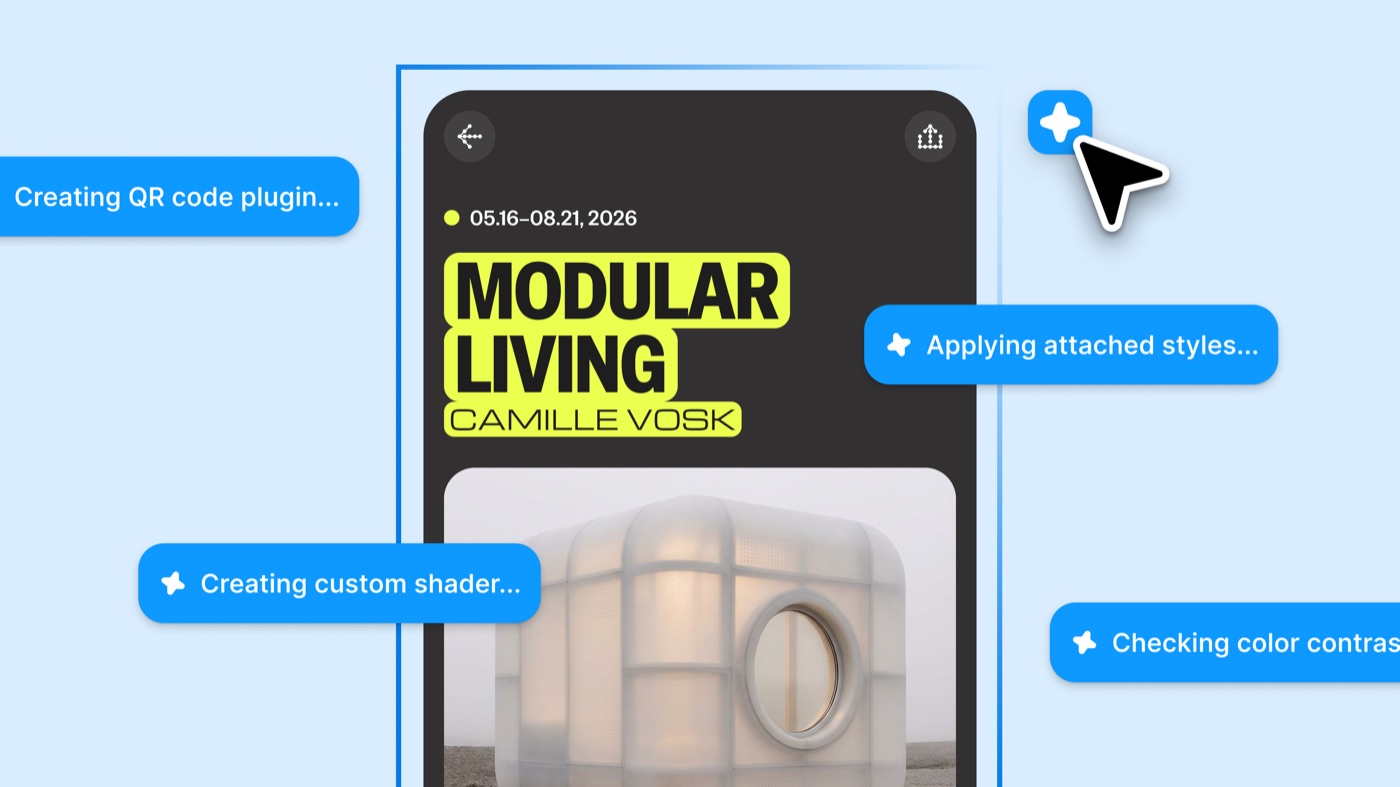
Both can be static or animated, and the help center says they can include mouse hover interactivity. You find them in the Tools tab of a design file, filtered by Shader fill or Shader effect. Figma ships dozens of its own, and the ones built by Figma are free to use. To make your own, you open the Figma agent and type "Build me a shader" followed by what you want. The agent writes the shader and exposes its parameters as controls on the canvas, so a designer tweaks sliders instead of code.
What changed on November 2
The entry on Figma's official release notes is short, so here is all of it in one place, next to the related changes around it.
| Date | Change | What it means for a designer |
|---|---|---|
| Oct 27, 2026 | Editing a shader creates a new version, with an agent-written change log | You can push a shader further without losing the one the team already approved |
| Nov 2, 2026 | Shaders generally available to all users | No waitlist or beta flag. Your whole team can apply and build them |
| Nov 2, 2026 | Render and export up to 4096px | Hero visuals and print-size stills keep their detail instead of looking soft |
| Nov 2, 2026 | Shaders included when you build a design into a code layer | The effect survives the jump from design to running prototype. Press Play on the code layer to see it |
| Nov 2, 2026 limit | Code layer support only in the browser on Chrome version 157, rolling out that week | Check your browser before you decide the feature is broken |
If you read my post on Figma code layers reading your prototype, this is the other half of the same story. The prototype wiring became instructions on November 3. The visual material became code on November 2. Together they turn the design file into something much closer to the product.
What Figma shaders change for product designers
For most of my career, anything that moved, glowed or reacted to the cursor ended up as a video in the handoff. Then a developer either rebuilt it from scratch, simplified it until it lost the feeling, or cut it. The effect was the first thing to die because nobody could ship a video file as a UI.
Shaders change who owns that layer. Three habits shift.
Material becomes a design decision again. A shader fill is closer to choosing paper or glass than to adding a drop shadow. You can save any shader fill or effect as a style and publish it to your team library, which means a brand can own a texture the same way it owns a color.
Motion and interaction move into the file. The help center says you can keyframe individual shader settings in Figma Motion, and export Motion animations to .mp4, .webp and .gif. A hover-reactive effect is now something you can show in the review, not describe.
The design engineer path gets shorter. Shaders were one of the hardest things to hand to a developer, because the "spec" for a shader is the shader. Now the spec and the code are the same object. That is the whole argument I make in what a design engineer is: the fewer translations between intent and code, the more of your intent survives.
Hype vs reality
The launch reads as "every designer can now ship shader effects." The help center is more careful, and the details matter if you plan to use this on a real product.
It is free to use, not free to build. Figma's FAQ is clear: using shaders, applying them and running animated or interactive ones on the canvas costs no AI credits. Building and editing shaders with the Figma agent does consume Figma AI credits. Iterating on a custom shader by prompt has a price, so arrive with a clear picture of what you want.
It needs WebGPU. Figma renders shaders with WebGPU, and it cannot run in compatibility mode. An older machine or a locked-down work browser can be the reason nothing shows up. That covers a lot of the "figma shaders not working" searches.
One running shader per page. The help article says only one animated or interactive shader can run on a page at a time. Fine for reviewing a hero. Awkward if you want to compare five live variations side by side.
The export link breaks. You can export shaders to Figma Make through the MCP, but Figma notes that exported instances do not stay connected to the original shader yet. If you tweak the original later, the exported copy does not follow.
Code layers are still in open beta, and the shader support inside them needs Chrome 157 in the browser. And you cannot sell shaders yet: the FAQ says monetizing them is not possible for now.
None of this is a reason to wait. It is a reason to know where the edges are before a client review.
How I would use Figma shaders in my workflow
I have built shaders the long way, which is why this release caught my attention. Three of my AI experiments are built around one.
NEB X is a landing page with x-ray vision: you move your cursor to paint a reveal across the whole page, then scroll sideways through 3D products. The tools on that build are Figma, Claude, the Figma MCP, WebGL shaders, Kling video, 3D models and Lenis scroll. Say More is a social app where every avatar is a glass bubble that bends like a lens when you press it, made with SwiftUI, a Metal lens shader and spring physics. Pulse Health is a native iOS health app with Liquid Glass, a Metal shader and a particle water simulation you can pour.
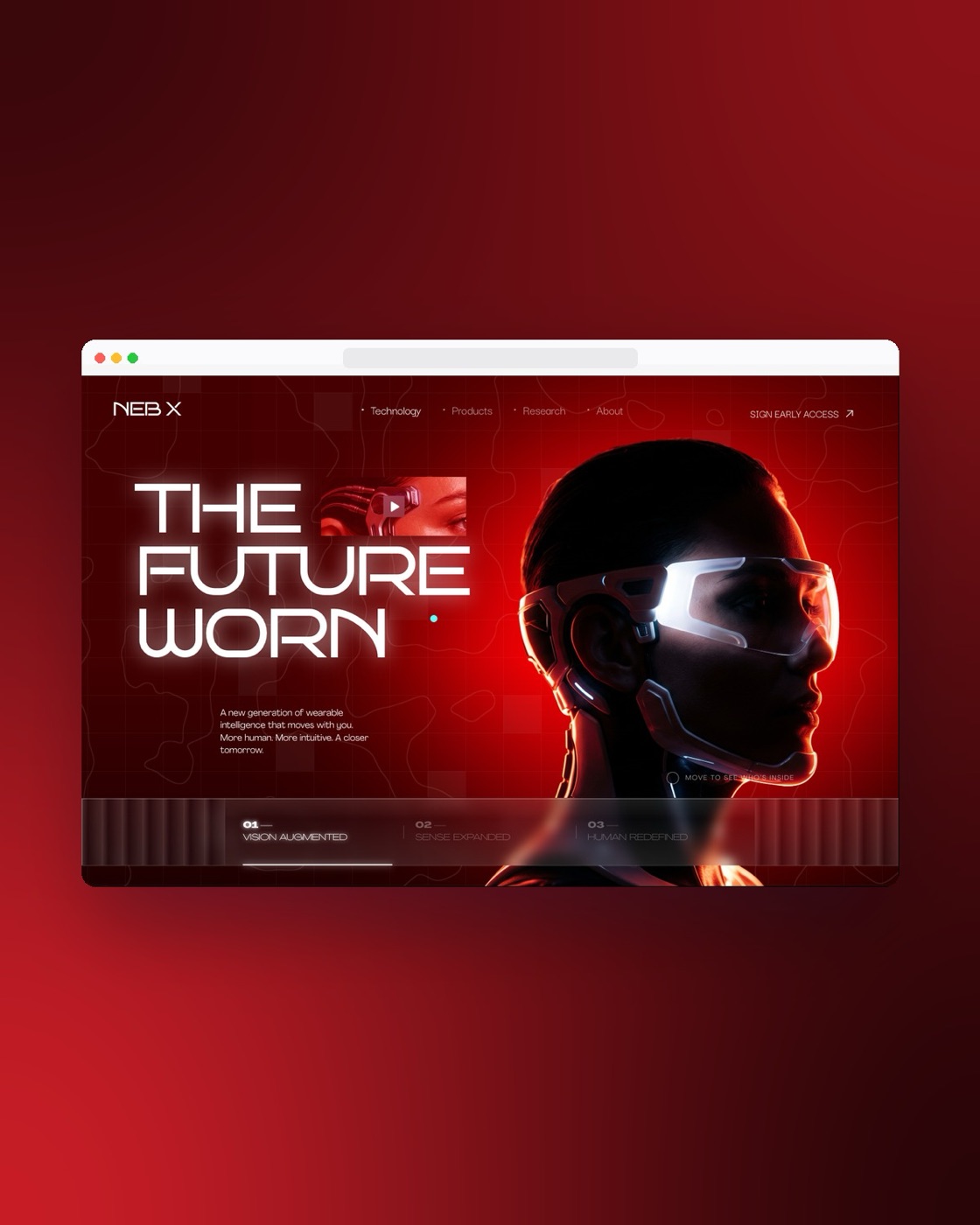
In all three, the Figma file was the brief and the effect lived in code. I designed the frames, sent them to Claude through the Figma MCP, and the shader was written and tuned in the codebase. That works, but the shader never existed in the design file. A teammate opening the Figma file saw a flat frame and had to trust me that the real thing felt right.
Here is how I would change that with Figma shaders:
- Design the wow moment first, with the material on it. I already start with the one moment that makes people stop. Now I can put the actual shader on that frame instead of a mockup of it.
- Tune the parameters on the canvas, then lock them as a style. The controls are the conversation with the team. Once it is right, it goes in the library.
- Build the frame into a code layer and press Play. If the shader survives there, the effect is real. If it does not, I learn that before a developer spends a day on it.
- Keep native work native. For SwiftUI and Metal, like Say More and Pulse Health, Figma's web shaders are a reference, not the shipping code. I would still write the Metal version with Claude, using the Figma shader as the visual target.
The limit of my advice: shaders are a material, and materials cost performance. On ViewStats, where I worked on creator tools for MrBeast's team, the lesson was that people want clarity, not more information. A shader that makes a dashboard slower or harder to read is decoration, and I would cut it. Use them where the feeling is the product: a landing page hero, an onboarding moment, a reward screen, a press-and-hold.
Figma shaders FAQ
What is a shader in Figma?
A shader in Figma is a coded visual you apply to a layer. A shader fill creates a new material, like noise, a gradient mesh or a pattern. A shader effect changes what the layer already shows, like grain, halftone, distortion or blur. Both can be static or animated.
Are Figma shaders free?
Using shaders is free: applying them and running animated or interactive ones costs no AI credits, and the shaders built by Figma are free to use. Building or editing your own shader with the Figma agent consumes Figma AI credits. The feature is listed for Starter, Professional, Education, Organization and Enterprise plans, with edit access to the file.
How do I use shaders in Figma?
Open a design file, go to the Tools tab and filter by Shader fill or Shader effect. Apply a fill from the Fill or Stroke section, or an effect from the Effects section. To make your own, open the Figma agent and type "Build me a shader" with a clear description of the look and the controls you want.
Why are my Figma shaders not working?
The most common reason is WebGPU. Figma needs WebGPU to render shaders and it cannot be in compatibility mode. Also remember only one animated or interactive shader runs on a page at a time, and shaders inside code layers need the browser on Chrome 157.
Can I turn a Figma shader into code?
Yes. Shaders are backed by code, so they are preserved when you turn a design into a code layer, and you can export them to Figma Make through the MCP. Exported copies do not stay linked to the original shader yet, so finish tuning before you export.
What to try this week
Pick one screen in your product where the feeling matters more than the data. Put one of Figma's built-in shaders on it, tune it, save it as a style, then build that frame into a code layer and press Play. If it holds up, you have a real effect your developers can read. If it does not, you found out in ten minutes instead of a sprint.
If you want help designing that moment, or a product where motion, interaction and sound are part of the design instead of an afterthought, work with me as your product designer. You can also browse my product design work to see how I approach it.


hello@ayoubka.com
If you have a web or mobile app idea in mind or you need some advice about product design, feel free to get in touch ✉️